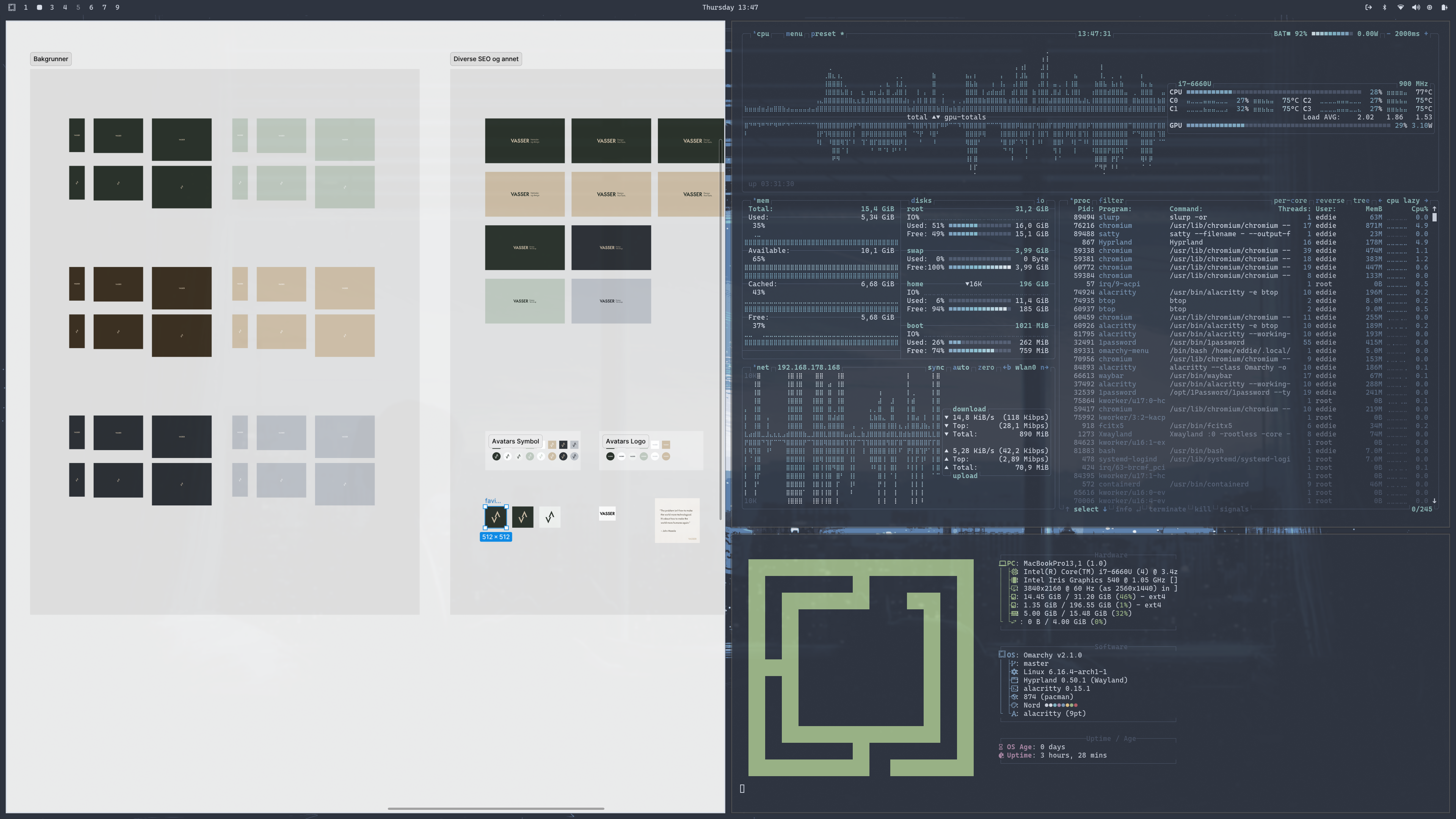
I'm about a week into using Omarchy (on a 2017 Macbook), and I've been thinking a lot about how much customization or not I want to be doing on it, seeing that it's more of an exploration than a long-term plan to use this almost decade-old machine.
DHH: "I don't have anything on an individual computer that I care about. That computer will at most have a minute or two of local state that's not disposable. And that's just until I hit "git commit" or whatever.
The second I've done that, I could take that box and I could chuck it out the window. It can be stolen, it could get lost, it could burn down, and none of my data is gone. None of my configurations are gone. I have everything reproducible.
So I knew the second I started on Omarchy that I wanted that again."
The whole process with setting up Omarchy as a work station has made me very aware of every aspect along the way, and the value in making the whole setup reproducible.
It's an interesting learning experience, and it definitely also affects how I work on the MacOS. Instead of mindlessly letting the downloads folder etc. growing, I've become more aware of cleaning up and sorting things where they should be. Both as an effect of switching between the mac and omarchy machines daily now, but also as a result of starting out on a clean install again and wanting to keep it as close to that as possible.
I always felt a bit icky about setting up a new mac machine based on an old one. It's easy, but it always feels like I drag along a lot of old stuff I no longer need. Better to start fresh each time and keep the setup to a minimum.
Seeing how nice of a setup I have on the Omarchy as a first time user, in less than one week (on an old machine) has made me realize that maybe I'm not as dependent on my macbook as I previously thought.
After you have found out and activated remote access on the mac, it's time to find thje Omarchy hostname. In my case it was "archlinux".
Find out by running hostnamectl in the terminal and grabbing the "Static hostname" and adding a ".local" afterwards.
So in my case it was like following:
My MacOS host name was: macbookpro.local
My Omarchy host name was: archlinux
To simply connect from the Omarchy to my mac, i could do the following:
ssh eddie@macbookpro.local where eddie is my username, and typing my password when prompted.
How about the other way? Connecting to my Omarchy from the MacOS?
First I needed to install openssh. I did it via the alt-super-space - «install» - «package» and «openssh».
Start the SSH daemon (immediately) sudo systemctl start sshd
Enable SSH at boot (optional but recommended) sudo systemctl enable sshd
Confirm it’s running systemctl status sshd
Then I can connect from the MacOS like this:
ssh eddie@archlinux.local where eddie is my Omarchy user and typing my password when prompted.
Moving files from the MacOS to Omarchy
First off I install rsync. On Omarchy I do that via the install packages solution again, and on the MacOS I use Homebrew.
Now, as an example I'll mode the folder /Documents/example from my MacOS into my /Documents folder on my Omarchy.
In this case I am in the /home/eddie directory on my Linux - meaning one level above the /Documents folder.
Running the following rsync command syncs the folder from the MacOS to the Linux machine, and now I have the example folder within the Documents folder on my Linux. (tips: run the rsync command with --dry-run as a parameter to test before running it)
This will be used afterwards to clearly show which window is active.
Karabiner Elements
Karabiner-Elements is a powerful and stable keyboard customizer for macOS.
I mainly just want it for one task: creating a so-called HYPER-key. A combination of left-shift, left-ctrl, left-cmd and left-alt by the keypress of CAPS-LOCK (Which I don't really need otherwise)
Window tiling can be nice, but in my personal experience, its very rarely positive with more than two windows in the same screen. I even mostly prefer it at one.
This means that you need to use workspaces dedicated for different purposes.
This is my setup:
Workspace 1: Browser
Workspace 2: Design (Mostly Figma)
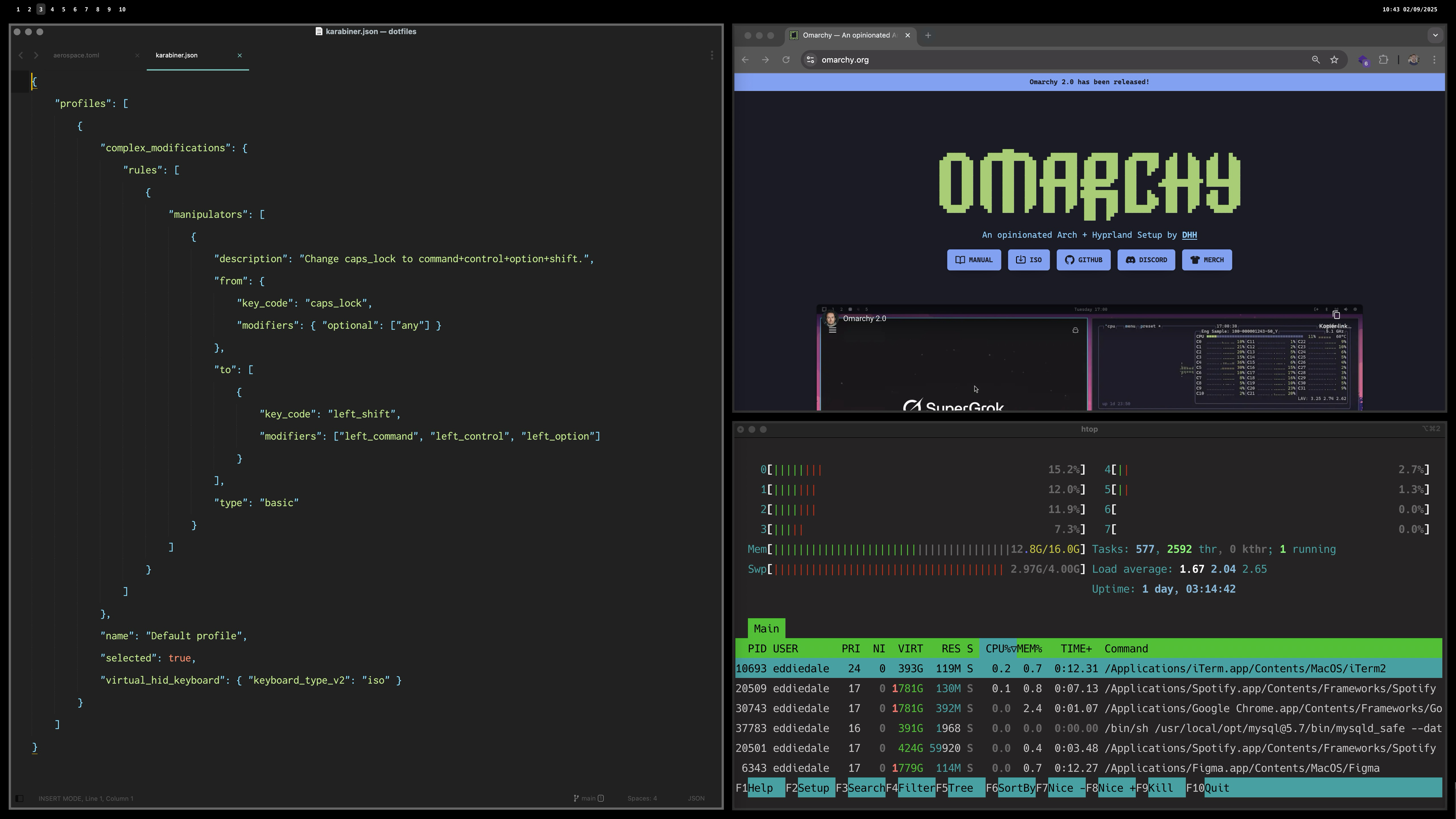
Workspace 3: Code (Terminal + editor)
Workspace 4: Mail
Workspace 5: Music
Workspace 6: Project Management Tools
Workspace 7: Empty
Workspace 8: Empty
Workspace 9: Empty
On my empty three last slots, i juggle things like Notes, Discord, Whatsapp, Messenger and other random apps I don't dedicate a workspace for (yet).
As you can see from this setup, its actually only workspace 3 that per default has two tiles. Most others are mainly one. Why? Because many of the UI's are clunky. Take Spotify as an example. Even on my 27" screen on a 50% tiled layout, it feels crammed. Same goes for Mail or Figma.
Does it mean window tiling system is the wrong approach? Maybe. Time will tell. But the instant switching of workplaces are the main key useage for me. This ties back to my initial point on "things I like" regarding window tiling. I like it in theory, but I'm not sure yet if I actually like working with tiles all that often.
It's a bit similar to the "multiple screens or one screen" discussion. I had two screens in the beginning of my career, but quickly found out that it was not a good thing for my focus or for my neck. I've been using one screen for most of my life, and prefer it that way. I focus on one thing at the time, and don't like noise on other screens. The same applies to tiles. I don't want live updates from my CPU processes while I'm writing a blog post.
cmd + left = focus to left window
cmd + down = focus to below window
cmd + up = focus to above window
cmd + right = focus to right window
ctrl + shift + left = focus to left window
ctrl + shift + down = focus to below window
ctrl + shift + up = focus to above window
ctrl + shift + right = focus to right window
alt + f = fullscreen (toggle on/off)
cmd + j = horizontal / vertical split (toggle)
hyper + f = floating (toggle on/off)
hyper + d = reset the tiles back to default
hyper + m = switch to merge mode
arrow keys = merge with [direction] (in merge mode)
space or esc = escape merge mode
hyper + w = workspace mode
left/right = go to workspace [direction] (in workspace mode)
shift left/right = move window to prev/next workspace
up/down = go to prev/next monitor
space or esc = escape workspace mode
hyper + r = resize mode
left = decrease width (in resize mode. add shift to have bigger increments)
right = increase width (...)
up = increase height
down = decrease height
space or esc = escape workspace mode
Wishlist
Straight borders, but thinner. The Jankyborders solution needs to have thick enough borders to cover the rounded ones from Apple. Kind of meh.
Ability to freely decide if a window should be centered, tiled etc. without regards to other tiles. ie. one window on the workspace should be able to be tiled regardless of being alone on the workspace. Lets say I just want to drag a file from the desktop into another window. Then I'd like for the window to just be on the left side, leaving the desktop visible.
Even though I don't use more than two tiles often on the screen, when I do it's likely 3, and then I want a bento-style and not three columns or rows. It'd be very cool if the third frame in a workspace would combine with the second in a similar way to Omarchy automatically as a default.
Final thoughts
I'm giving this setup some time now, but it will be interesting to see if I prefer it over the previous Rectangle-based setup and old-fashioned cmd-tabbing between apps.
I’m fascinated by photographers using film cameras, guitarists on plain old tube amps, authors writing books with pencil on paper, and the list goes on.
The same goes for Vim (and Neovim) for programmers. It's very pure and inspiring to watch.
However, I have found that I am more of a "convenience-over-purism"-type of person.
Modern guitar modellers are close enough to tube amps for my needs.
A digital Fujifilm has enough manual controls to get close to that «film-feeling» for me.
This is also the reason why Omarchy might be a step too far in customization for my liking. (update from a week later into the future: it's not)
Sure, Apple and macOS have their issues, but it’s close enough for most of my needs.
That being said I draw a lot of inspiration from Omarchy, integrating some of its elements into my macOS setup. And I also really like DHH's energy. It's very captivating and almost had me buying a Framework laptop I don't really need.
I'm really inspired by DHH and the push for Linux and Omarchy.
I even installed Omakub last year on an old mac to get a taste of Linux. Omarchy takes everythin a tad further in customization in a way I really enjoy the looks of. I'll probably wipe the Omakub and try out Omarchy soon, but that is not ment as a work computer. Just as an exploration.
Because, even as inspired by it as I am, I try to pragmatically think first; "What is it that speaks to me?" and "Would it be possible to get close enough to it without such drastic measures as changing the OS?"
This is currently the path I'm on. I'm working on getting my Mac close enough to the Omarchy look and feel, but still keeping most of what I enjoy and use on the daily in the Apple ecosystem.
I've come to realize that what I want are mainly two things:
Better window tiling and spaces-management
A more keyboard driven usage of the computer
To try to get closer with my Mac, I started by adding Yabai and skhd.
This got me pretty close, but the process got into a halt when I realized that even with all the configging and adjusting done, I still needed to boot in recovery mode and disable SIP to get where I really wanted.
What did I really want? Mainly instant switching between spaces (screens). The native spaces (Mission Control) from Apple has default swipe-animations between them (which can be disabled), but even in a disabled state it has an annoying fade. Furthermore without disabling SIP the keycommands for moving application screens between spaces didn't work.
So I reached a crosspoint. Either I'll go further down the Yabai+skhd route, or I'll try the alternative: AeroSpace, which has some alternative ways of dealing with this issue without needing SIP disabled.
I chose AeroSpace, and this turned out to be a massive improvement in what I looked for.
Now I have instant switching between spaces, simple commands to move windows between them, and good window tiling.
Along the way I've also installed:
Raycast, which I'm still evaluating if I really need or not.
Karabiner Elements (for making my Caps Lock a hyper-key).
JankyBorders to better highlight the selected window.
I might also dive into Sketchybar, but for now I'm happy without it.
Exciting? Maybe for you.
Your client? Not so much.
They probably won’t notice.
They definitely won’t ask for it.
And they almost certainly won’t want to pay for it.
After all, the site still works, right?
But you as a developer know what happens if you don’t keep up
• Bugs creep in
• Plugins break
• Security holes widen
• And soon you’re knee-deep in technical debt
Still not sexy. Still not billable.
Maybe your clients are more forward-thinking than mine, but personally I’ve found this kind of work really hard to get paid for.
Meanwhile, the update notifications pile up
Each one adding a bit more guilt to your day. And guess who’s to blame if things go sideways? Yep — you.
You’re stuck maintaining tech that no one wants to maintain, for a fee no one wants to pay, on a schedule no one respects.
But here’s the kicker
Ignoring updates might save money now, but it often leads to bigger, more expensive problems later.
By the time things break — or the site gets hacked, or a plugin stops working, you’re not just updating anymore.
You’re rebuilding. Troubleshooting. Firefighting.
And that costs a lot more.
Both in time, money, and client trust.
“This maintenance task you didn’t want to pay for six months ago?
Now it’s an emergency fix that’s five times the cost.”
– Not a fun conversation.
Over the last days I have found it interesting to follow the thread on Reddit regarding the direction Laravel is heading.
I am not using Laravel a lot myself, so I follow it rather from the perspective of general software – or even company – development. Simply seeing the fact that a lot of long-term users slowly long back to simpler times. Some even ask straight up for suggestions on Laravel 5-like frameworks out there.
In a software sense, I draw some parallels between the Laravel situation to my own experience with Craft CMS, which I've used a lot the last 7 years. Already back with the introduction of Project config back in Craft 3.1 I felt it switched from being a very simple CMS I could co-work with designers and non-tech people on small to medium sized sites in a very lean way. We could both edit and modify CMS fields on the go, and it made for a very frictionless way of working.
The optional project-config soon became non-optional and have been a source of many headaches since. Most have been solvable and probably – as the reddit post also points out – just points towards myself (and my colleagues) lack of technical expertise. As the OP writes: "People will probably downvote me for this and say it's a skill issue, and maybe it is..".
Even if it is a skill issue, it's an interesting phenomenon. Updates and incremental improvements are often only thought of in a positive light. "great, new features!". But everything comes at a cost.
Another CMS system I use, which I feel stand out in the matter of slow and steady gradual and highly thought-through development is Kirby CMS. I heard in a podcast about a year ago from its founder something that has stuck with me to this day, which I feel shows a different thought process entirely. Since the podcast is in German (and I'm not even German myself, but know enough to get by) I'll summarize the essence:
In development it’s often tempting to scrap all of the work and start new. But the long term view is important. For Kirby 2 everything was written from scratch. It was so tempting and nice to use new tools, tech stack, code editor and everything around it. But this was something he (Bastian) called a big mistake, and definitely nothing he repeated again for versions going forward. The main captivating idea that stuck for me was the line "thinking like a gardener". It requires patience and gives a different type of satisfaction than the "flashy new tools"-direction, and is something I find very noble.
Unfortunately consumerism and the fast-paced world we live in has no time for slow development. Most small and slower moving projects dont survive. The really little content management system called Perch CMS back in the day was so much fun, but ultimately did not have enough buyers to keep going. Founders, investments and a ton of features would probably have kept the company alive, but to what cost? It would then have resulted in a completely different product in the end, and most likely it would have been worse.
Even though it feels like a losing battle, I cheer for the slow and steady ones out there. But maybe it's just me getting old.
What's the point anyway? It's not like important things are going on here. Its just kind of widespread random notes ranging from development to note-taking and anything in between.
But then the other side of my brain is saying; why are you so damn self centered? Just write, and live on. Nobody cares anyway. Stop acting like you're famous.
Maybe this is a case like Steve Jobs referred to in his Harvard Speech:
"You can't connect the dots looking forward; you can only connect them looking backwards. So you have to trust that the dots will somehow connect in your future. You have to trust in something - your gut, destiny, life, karma, whatever. This approach has never let me down, and it has made all the difference in my life."
Steve Jobs
I might of course be wrong, but somehow it feels like it's worth pushing through the resistance.
Remember that you can hold multiple, even conflicting opinions about the same person.
You can admire or be inspired by certain qualities or accomplishments without necessarily agreeing with all of their views.
Yes, even someone as polarizing as Elon Musk. It’s called nuance.
You can pick and choose which ideas to embrace and which ones to ignore.
Stop shutting down conversations by judging the messenger; listen to what’s actually being said.
Sometimes, controversial minds spark the best insights – if you’re open enough to hear them.
This makes me think about Apple's iconic Think Different ad-campaign:
Here's to the crazy ones.
The misfits.
The rebels.
The troublemakers.
The round pegs in the square holes.
The ones who see things differently.
They're not fond of rules, and they have no respect for the status quo.
You can quote them, disagree with them, glorify or vilify them.
About the only thing you can't do is ignore them.
Because they change things.
They push the human race forward.
While some may see them as the crazy ones, we see genius.
Because the people who are crazy enough to think they can change the world, are the ones who do.
I just can't seem to find the right method. I've tried physical notecards, as per Ryan Holiday and Billy Oppenheimer. I found that to be too cumbersome and frustrating, and also had problems with the messiness of it.
I tried the digital version of it through Zettelkasten. Can't fully say why it didn't stick, but somehow basic Apple Notes was easier and more flexible to maintain for me. I've also tried Evernote, Notion and Obsidian, but they're all too complicated and bulky for what I want.
Mymind is interesting, and sort of works better than the other digital tools I've tried. The visual part is an important aspect that many of the other tools don't have good solutions for. It does however go quite far on the visual side, and doesn't feel great when it comes to slightly longer form note-taking.
Other options I've considered is to build out my home page with more sections dedicated to the needs I have (section for quotes, section for short notes-to-self, health, inspiration etc), but it does feel like a bit too large of a task at the moment.
I have fairly heavily used the native Apple Notes the last year. I've always used it, but the last year I've organized and used it a bit more structured. It's really not too bad, and thats why that still is my way of taking most notes.
Maybe all of this searching is in vain, and simply using Apple Notes is the best solution after all? The problem is just that I really prefer having physical files over the "locked in" apple notes in their cloud kind of a thing.
Which takes me back to using my own web page for this, because Kirby structures this stuff exactly how I want it. A folder per entry/thought/post, with a txt file containing the text content, plus all potential assets of relevance to it. Everything neatly collected in a named folder.
They say "write to think", and I think that through writing this post, I've learned that I probably should try out a MVP note-taking system straight on my own homepage using Kirby. 🤔
Note: I forgot to mention that I also tried a commonplace book system too. That definitely worked better than notecards, but I fell back on the fact that I don't really feel it works for me to purely have written words on a paper to compile my thoughts. Too often I want to include graphics.