Lately I've been getting into generative coding. Stuff like p5.js and just svg's in general. Super inspired by people like George Francis and Daniel Shiffman.
But on completely different arenas I'm also really digging Suno for musical exploration. I've started to play with the endless amounts of half baked voicenotes full of ideas I've had through the years. It's really amazing to be able to give them more life with Suno instead of them just rotting in the voice notes. Very inspiring.
The last half of 2025 I was also really into Midjourney as a creative outlet.
Claude Code has become a huge part of my everyday life while coding the last 2-3 months. Claude makes things that I would've never dared to try before become realistic and solvable, which is amazing.
Each of these tools feels like a new door opening. Everything all at once.
But my problem was never lack of inspiration or ideas.
My weakness is focus and execution.
I feel simultaneously ever more inspired in all different creative directions, but also so scattered that I'm more stressed out than before.
I'm standing at a train station with a free ticket in any direction, but they're all interesting! And I'm standing there with massive decision paralysis.
I've always struggled with procrastination, but now more than ever.
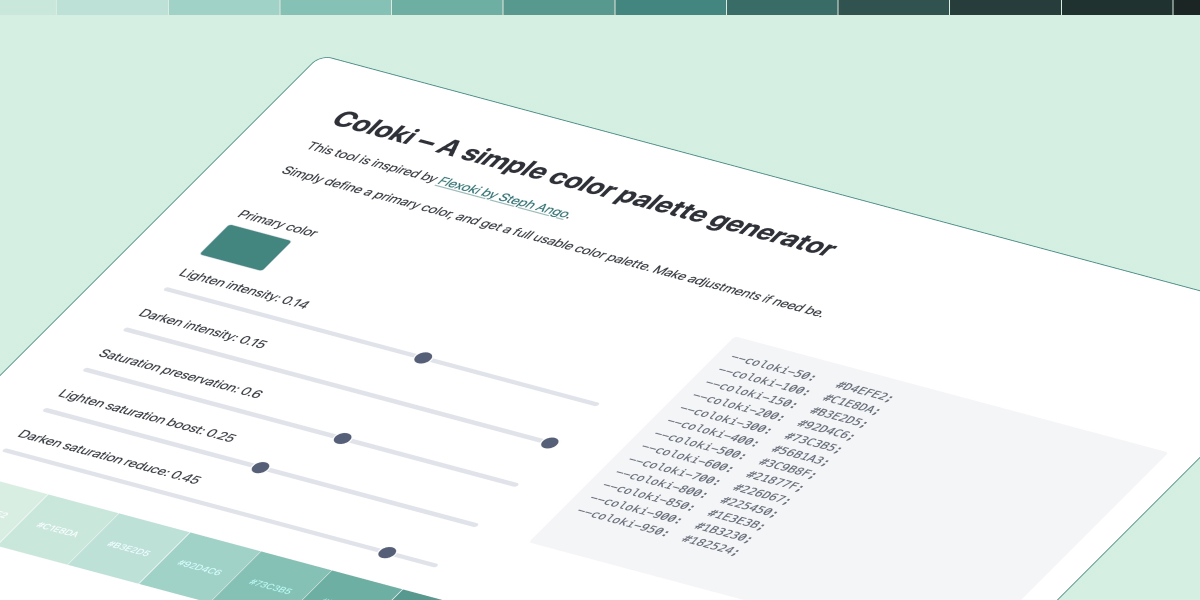
I kept reaching for the Flexoki playground but wanted something simpler.
In it you basically just define a primary color, and it will generate a few darker, and some lighter colors for it.
It started with a very simple, almost fade-like solution, but with that you lose a lot of the saturation.
So there are some adjustments for retaining the saturation in the brighter colors.
But on the darker end, its rather opposite. Here it makes sense to desaturate a little bit.
The extreme ends (brightest and darkest) can't really be treated the same as the rest, so they have slight adjustments making them less affected by the sliders than the more mid-rangy colors.
Anyway. It all kind of makes sense for me, and feels useful, so I just put it out there in case anyone else finds it useful too.
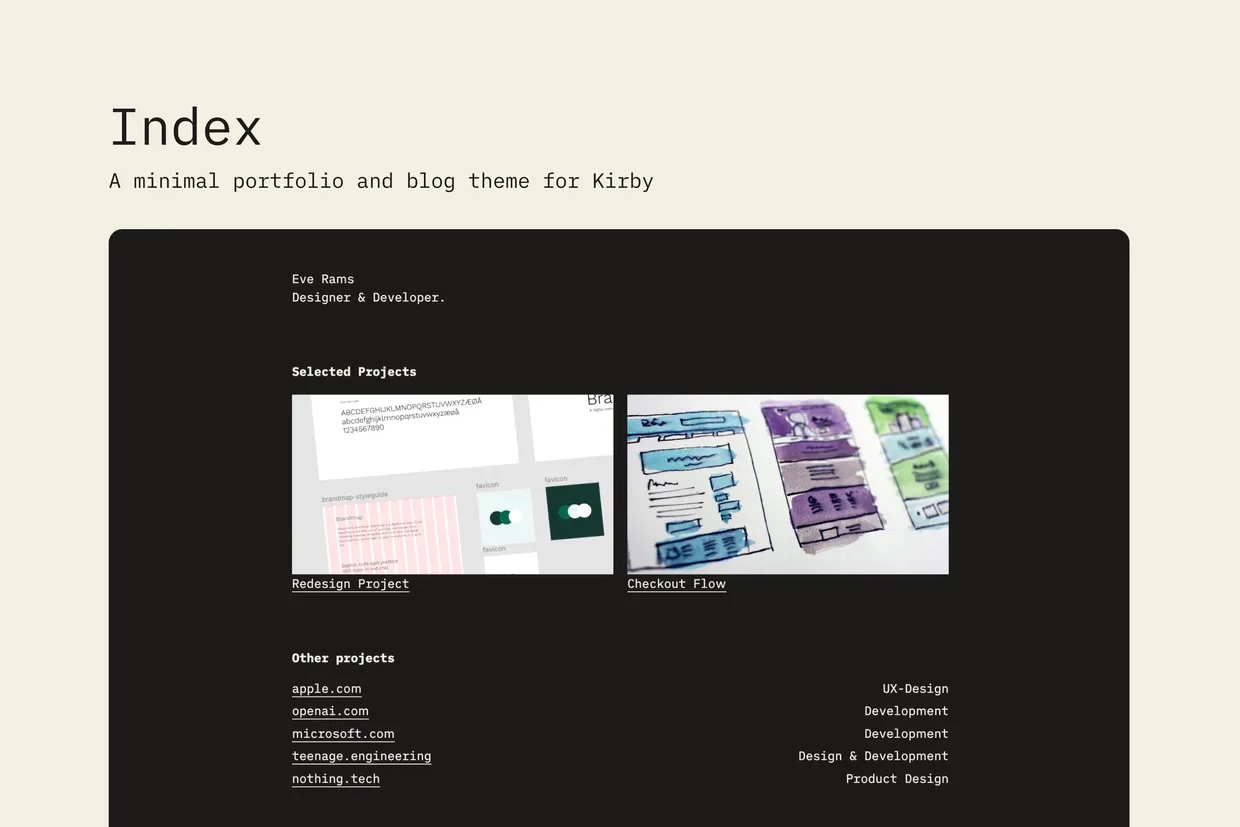
This web site is now available as a Kirby template / starter kit.
Files can be downloaded either here or directly at Github.
Why release it as a template?
Learn to ship
Finishing something that isn't a client project has always been a hurdle for me. Since it's not paid work, it tends to end up last in the priority queue.
Learn to make fundamental decisions and stick to them.
Interestingly when packaging something for public release, I reevaluate a lot of decisions I make automatically.
For my own site, I could easily just use Composer and add in fancier SEO-tools etc.
I find that a very worthy pursuit, and made it a clear goal to not have any build tools in use. Also not to rely on plugins that likely will become paid in the future (like the SEO plugin, which is currently free, but will become a paid plugin).
Who is it for?
Me. As far as I know, I'm the only one using this template. Maybe someone else will in the future, or maybe not. But it's not any goal of mine to have x amount of installs. I make this for myself, and do it as a learning journey.
Here I draw inspiration from Rick Rubin, who believes creators should focus on making things that resonates with their own truth, not trying to please an audience.
What is Kirby?
Kirby is a really cool CMS. It's a bit overkill for the needs of this blog, which could have easily just been a SSG or so, but I still chose it because I also use it on other sites I make, and have a little bit of an allergy towards build tools.
Even though I use a VPS and Laravel Forge and easily could have a more advanced server setup, I really love that Kirby can essentially just be dropped onto shared hosting and work. And not just work, but work flawlessly both front and back-end. That is not the case of alternatives like Craft CMS and Statamic, although I also really like these systems.
Sarcasm aside, it feels slightly surreal to watch the design and tech landscape lately.
There’s absolutely no shortage of impressive things popping up: graphics, music, full websites, even entire brands created in minutes. I’ve had my own revelations using tools like Claude Code. I don’t see AI as a villain. In many ways, it's helped me work faster and think differently.
But still… something feels kind of meh.
I think it's because we can tell when something was made with little effort, even if the result looks good. And for some reason, that's off-putting.
It's like we have a built-in sense for the relationship between effort and outcome. When they don't match, the work feels empty.
I have the same issue on stuff I build myself. Things I would have been proud of a few years ago now feel less impressive, simply because I got help from AI along the way. Maybe it's just self-defeating and nonsensical, but I can't shake the feeling nonetheless.
I see a similar thing happening at the Christmas markets here in Germany. A few years ago you'd find small handmade items, and you instinctively knew the person behind the counter made them. Fast forward to Christmas 2025: the stalls look the same, but we all know the items are mass-produced and shipped from China. They look handcrafted, but they don’t feel handcrafted.
Which makes me wonder: Is the era of pure craftsmanship coming to an end?
As a web designer, I now compete with anyone who can open Lovable and prompt a website into existence. Sure, I can argue that my work is more thoughtful, more scalable, more maintainable… but the reality is that many clients don't care as much as I'd like them to.
And yet I can't shake the feeling that there will be a counter-reaction to all of this.
A moment where craft becomes valuable again precisely because everything is instant and effortless.
Right now, learning to code from scratch is probably less tempting than learning to prompt. But in a world where everything is mass-produced in seconds, I genuinely believe that the desire for real understanding, real skill, and real craftsmanship won't disappear. It might even become more valuable.
But right now, I really feel for everyone still doing their craft by hand.
It’s harder than ever, but maybe still worth caring about?
This article is not about Fizzy as a product, but rather about the decisions 37Signals make regarding how to launch their product.
First off, they have been working very openly on this project for a long time now. The founder, Jason Fried, have made multiple videos along the way showing WIP stages. I've found them very interesting to follow. Jason Fried has done this for many years also on other products, but it feels like he made it even more a focus while developing Fizzy.
Anyways, today they launched the product, and a few things stand out:
It has a very generous free tier, and no card required.
It is open source, so you can optionally run it yourself.
They released the full codebase including all commits
The last point is actually the most interesting to me.
I mean, its almost 8000 commits, and it starts with "New Rails app" in june 2024. The whole process from there shows a lot of interesting decisions along the way. Combined with the process videos from Jason it really shows how 37Signals work.
I've been treading water the last months, spending toomuchtime on Linux computer setups and other things that clearly does not speak to my core wishes of simplicity.
Lately I've been reading books on Warren Buffett and Charlie Munger, and one thing that I deeply respect from them both is their ability to be reflective and self-critical without it being a negative thing.
They realize their mistakes, change course of action, learn from it, and reflect on it.
It all sounds trivial, but all too often people get stuck in a situation of sunk cost fallacy and don't properly evaluate the path they are going.
I've realized now that I've spent too much energy on this whole Linux direction, and that Mac simply is a better direction for me to stick with. I'm not the person to tinker most of my day in the terminal.
Anyways, "Onwards and upwards" is an idiom I love, and I will use that in this case!
Where are we at now then?
In my getting "back to basics" I've refound the joy in simple focussed web apps.
Things that really fascinate me are products like those from goodenough.us, like Pika, Albumwhale and Letterbird.
I really like these kind of focussed apps. And also the whole theme of "good enough". It's kind of saying "We don't try to be best at everything", and that resonates with me a lot.
Other creators I really enjoy:
iA Writer have long been up there.
I still love Kirby CMS for its simplicity in the CMS Realm.
As much as I really like the thoughts and business model of Obsidian it feels a bit too complex for my needs, but lately I've been enjoying Nota. Again, the whole concept of file-based-storage goes across both Kirby, iA, Obsidian and Nota, so that's definitely something I like a lot.
I really find Seb fascinating. All his work with Fffuel has amazed me for a long time, and his work at Muted is even upping it all another notch. Crazy stuff. I really wanted to take his course here the other day, but unfortunately it's not purchasable anymore. I think he sold the whole Fffuel site to Syntax/Sentry if I'm not mistaken.
Vincent Ritter makes some pretty interesting small products.
I'm also into well made puzzle games lately. Partly because they are fun to play, but also for the craftmanship, design, functionality and simplicity of them.
Some standout games lately: Clues by Sam, Fields and Stars from Inkwell Games.
Some simple apps from Github I enjoy
Bullet Journal by Bastian Allgeier
This is basically a basic bullet journal with a perfect week-overview and a simple way to add some notes.
It uses local storage and requires no setup really. I just clone the repo to my Herd-folder as "todo" and hit todo.test in by browser.
Journal by Kev Quirk
"A super simple, self-hosted Journal application that's written in PHP." Kev writes, and that pretty much describes it. A tiny bit more of a setup than the journal, since it uses sqlite and has a login panel, but really takes only a few minutes.
Flexoki Playground by Steph Ango
I have this running on flexoki.test, and it gives me a great base to work with color pallettes. They are already great from the get-go, but with the playground tools one can tweak the chroma and curves for fine adjustments. No local storage going on here, but still a cool tool.
Consumption vs. Creation
All of this inspiration is great, but it can't be that all I do is sit and sift through apps. I need to channel the inspiration somewhere.
So I try to start small and begin creating too. Especially inspired by the simplest of toools like the Bullet Journal and Journal, I have a few ideas I want to explore.
But honestly, part of this focus is also due to a substantial decline in client work over the last months. Maybe I should rather be working on sales and marketing, but I prefer spending time following my curiosity and building competence in areas I feel lacking. Interestingly the whole Design industry in Norway are going through tough times, with a critical combination of lowering service-prices, more competition, inflation, saturated private market and a public sector that is very much closed for only big firms. Good to know I'm not alone, but still very challenging to deal with.
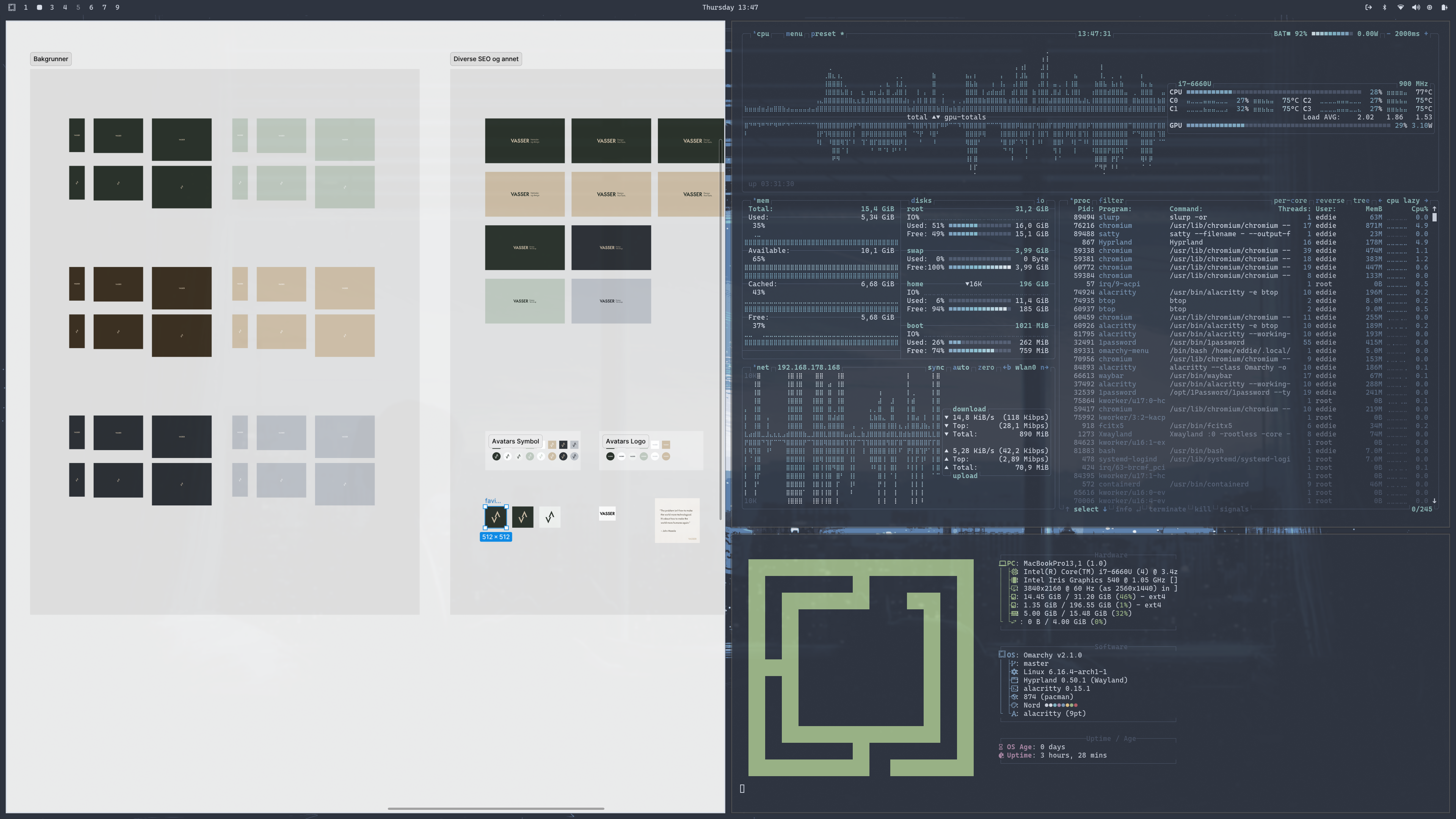
I continue to use both Omarchy and MacOS as my daily computers. Some days I feel like MacOS, and some days I feel like Omarchy.
I really started to enjoy the tiling window manager in Omarchy (Hyprland), and naturally started to put in work trying to make my MacOS take the best bits from it and still keep all the good things I enjoy with MacOS.
But it didn't work.
I've really tried, and given it close to two months daily, but it just feels too "hacky" for lack of a better word.
It's all kinds of janky and frustrating at times, and I can't get the shortcuts set up in a way that feels natural to me because of how Mac uses the CMD key mixed between system-wide shortcuts and app-specific shortcuts. In Omarchy it feels very natural: CMD is only for system-wide operations, whereas CTRL and ALT are app-specific. It feels very natural. But in Mac it all gets blended together and I don't like it.
I've tried everything from a complete adaptation of the Omarchy shortcuts, to a more mac-workaroundy solution, but it all just ends up feeling muddy.
The same goes for JankyBorders and Sketchybar. They are really great apps and they do get you very close. But still, its not quite there for me, and ends up feeling more noisy than helpful.
So now I'm going back to a plain old MacOS setup for a while, and just use Omarchy as intended, and MacOS as intended.
Less time spent fiddling around with configs, which is always a good thing.
Decisions decisions.. I have been using both my Omarchy machine and my MacOS (now Tahoe) the last weeks.
In the beginning I really enjoyed Omarchy, and I only reluctantly used my Mac when nescessary.
However after the honeymoon phase where Omarchy was such a fresh breath I hit a few obstacles that made me switch over to the mac again as a daily driver this week.
The reason for these obstacles were not on the OS-end though. Omarchy was not at fault per-se, but the combination of Omarchy on my macbook was the issue. Specifically two main reasons:
I have no sound on the Omarchy machine. Kind of annoying.
Suspend (sleep) doesn't work. I cannot wake it up again after.
These issues were still not holding me back in the beginning. I just ran music from my mac og phone, and turned off the machine after my days work.
But it began getting annoying after a while. And since I ruminate for ever about wether or not buying a Beelink or Framework makes sense I still am stuck with this sort of half-functioning Omarchy-machine.
I feel its an unfair fight though. My MacOS machine is substantially better specced, and has none of the two issues above. Whereas a dedicated linux machine (like Beelink or Framework, or mostly anything outside the mac-world I guess) would likely run much better. Especially regarding the two issues above.
So how would thing look if the comparison was more fair? That's the big question. I go a bit back and forth, but I do believe Omarchy is a substantially better fit for most of my work-related tasks.
The MacOS is however a better fit for my private life, as the rest of my family use it and everything that comes with it. But to be honest, I don't use the computer much for private stuff anyway. I mainly use the computer during work hours for work (duh), and most of private stuff is anyway on the phone, which for now is an iPhone.
And it's not like the macbook goes away anyway. I have that, but I am very tempted to go all in on Omarchy as my daily system. But I'd like a better machine for it than my broken flexgate-ridden butterfly-keyboarded issue-prone macbook. Currently eyeing the Beelinks.
I'm about a week into using Omarchy (on a 2017 Macbook), and I've been thinking a lot about how much customization or not I want to be doing on it, seeing that it's more of an exploration than a long-term plan to use this almost decade-old machine.
DHH: "I don't have anything on an individual computer that I care about. That computer will at most have a minute or two of local state that's not disposable. And that's just until I hit "git commit" or whatever.
The second I've done that, I could take that box and I could chuck it out the window. It can be stolen, it could get lost, it could burn down, and none of my data is gone. None of my configurations are gone. I have everything reproducible.
So I knew the second I started on Omarchy that I wanted that again."
The whole process with setting up Omarchy as a work station has made me very aware of every aspect along the way, and the value in making the whole setup reproducible.
It's an interesting learning experience, and it definitely also affects how I work on the MacOS. Instead of mindlessly letting the downloads folder etc. growing, I've become more aware of cleaning up and sorting things where they should be. Both as an effect of switching between the mac and omarchy machines daily now, but also as a result of starting out on a clean install again and wanting to keep it as close to that as possible.
I always felt a bit icky about setting up a new mac machine based on an old one. It's easy, but it always feels like I drag along a lot of old stuff I no longer need. Better to start fresh each time and keep the setup to a minimum.
Seeing how nice of a setup I have on the Omarchy as a first time user, in less than one week (on an old machine) has made me realize that maybe I'm not as dependent on my macbook as I previously thought.
After you have found out and activated remote access on the mac, it's time to find thje Omarchy hostname. In my case it was "archlinux".
Find out by running hostnamectl in the terminal and grabbing the "Static hostname" and adding a ".local" afterwards.
So in my case it was like following:
My MacOS host name was: macbookpro.local
My Omarchy host name was: archlinux
To simply connect from the Omarchy to my mac, i could do the following:
ssh eddie@macbookpro.local where eddie is my username, and typing my password when prompted.
How about the other way? Connecting to my Omarchy from the MacOS?
First I needed to install openssh. I did it via the alt-super-space - «install» - «package» and «openssh».
Start the SSH daemon (immediately) sudo systemctl start sshd
Enable SSH at boot (optional but recommended) sudo systemctl enable sshd
Confirm it’s running systemctl status sshd
Then I can connect from the MacOS like this:
ssh eddie@archlinux.local where eddie is my Omarchy user and typing my password when prompted.
Moving files from the MacOS to Omarchy
First off I install rsync. On Omarchy I do that via the install packages solution again, and on the MacOS I use Homebrew.
Now, as an example I'll mode the folder /Documents/example from my MacOS into my /Documents folder on my Omarchy.
In this case I am in the /home/eddie directory on my Linux - meaning one level above the /Documents folder.
Running the following rsync command syncs the folder from the MacOS to the Linux machine, and now I have the example folder within the Documents folder on my Linux. (tips: run the rsync command with --dry-run as a parameter to test before running it)